
Exporting measurement data
Measurement Data Export in the project menu downloads the measurement data of a project as CSV files, one per measuring point.
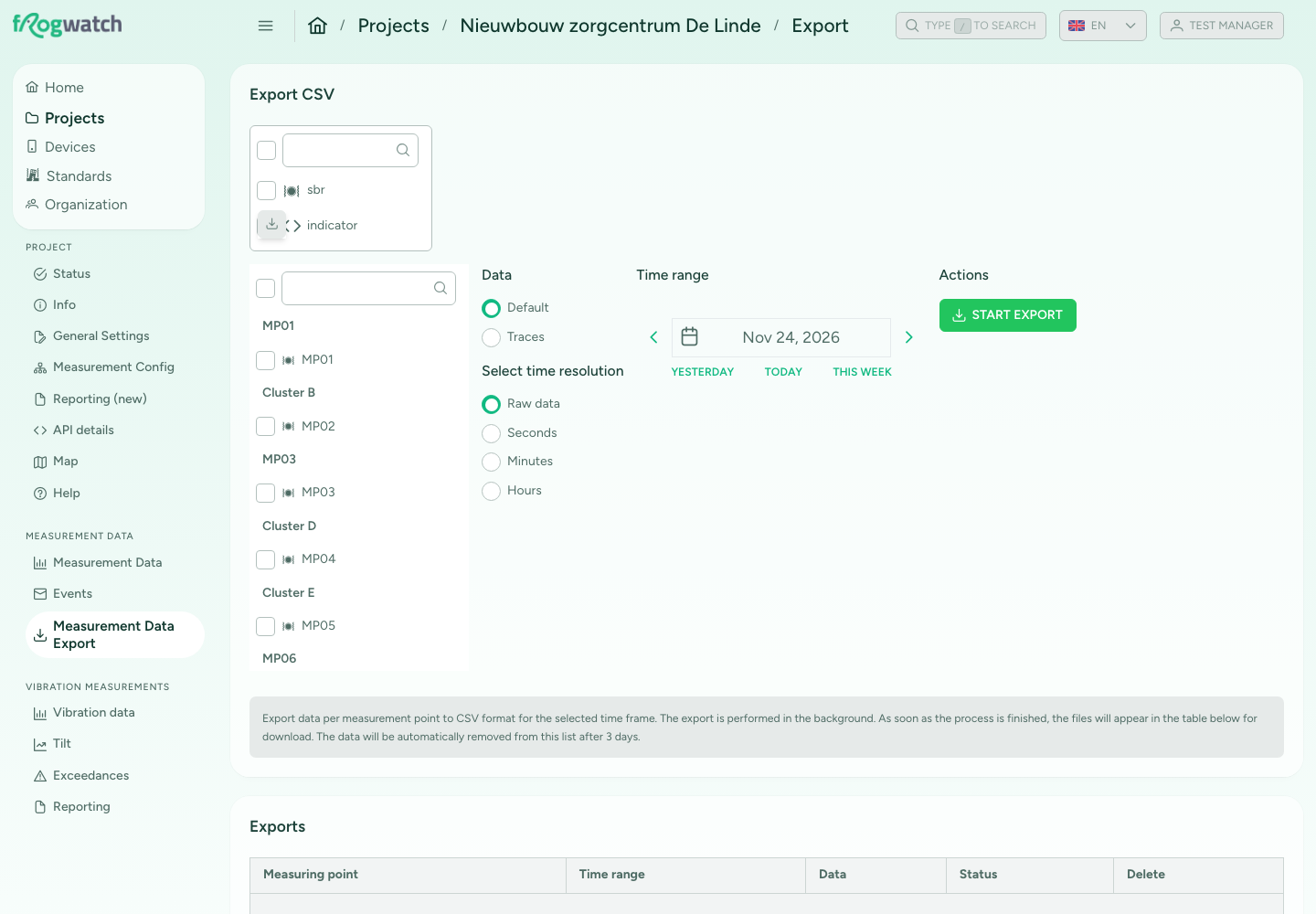
- On the left, choose which kind of data and which measuring points you want to export.
- Under
Data, chooseDefaultfor the regular measurement data, orTraces. - Choose the time range with the arrows, or with
Yesterday,TodayorThis week. - Choose the time resolution:
Raw data, or a lower resolution per second, minute or hour. A lower resolution gives smaller files. - Click
Start Export.
The export runs in the background. As soon as an export is done, it appears in the Exports table, where you download the files. An export that did not succeed is shown as Failed. Exports are removed from the list automatically after 3 days.
You can also download the data of a single chart directly, with Export above the chart on the Vibration data page.