
Organization
The Organization main menu holds the settings of your organization. Managers and viewers see this menu, but only managers can change anything. API keys and Statistics are for managers only.
Users
Here you give others access to your organization and choose their role. See Access and contacts.
API keys
Here you make keys for the API, which lets you fetch measurement data into your own systems. See API.
Statistics
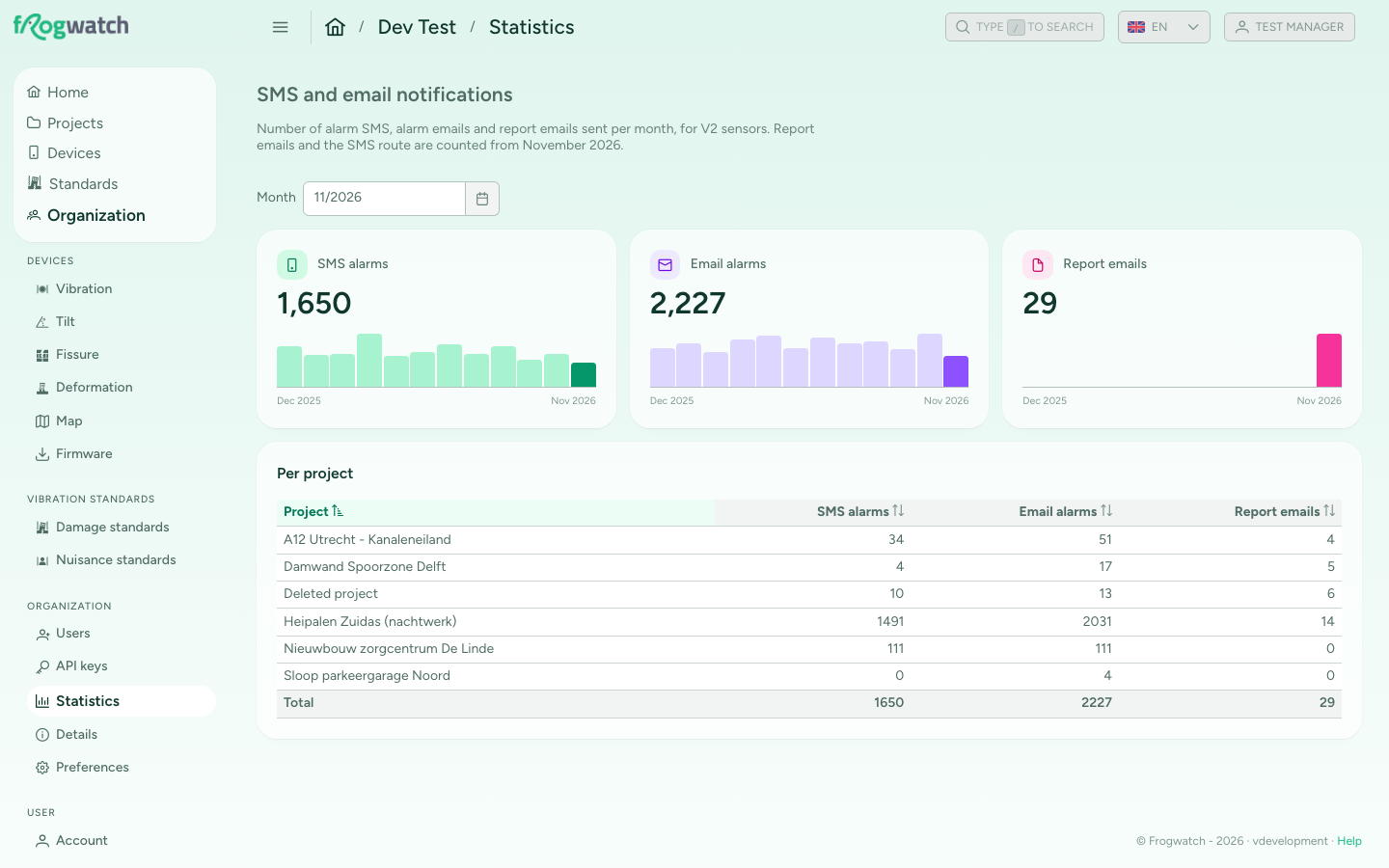
The number of alarm SMS messages, alarm emails and report emails sent per month, for the whole organization and per project. Choose the month at the top. The small charts show the months before it. Report emails and SMS messages through the SMS route are counted from November 2026.
Details
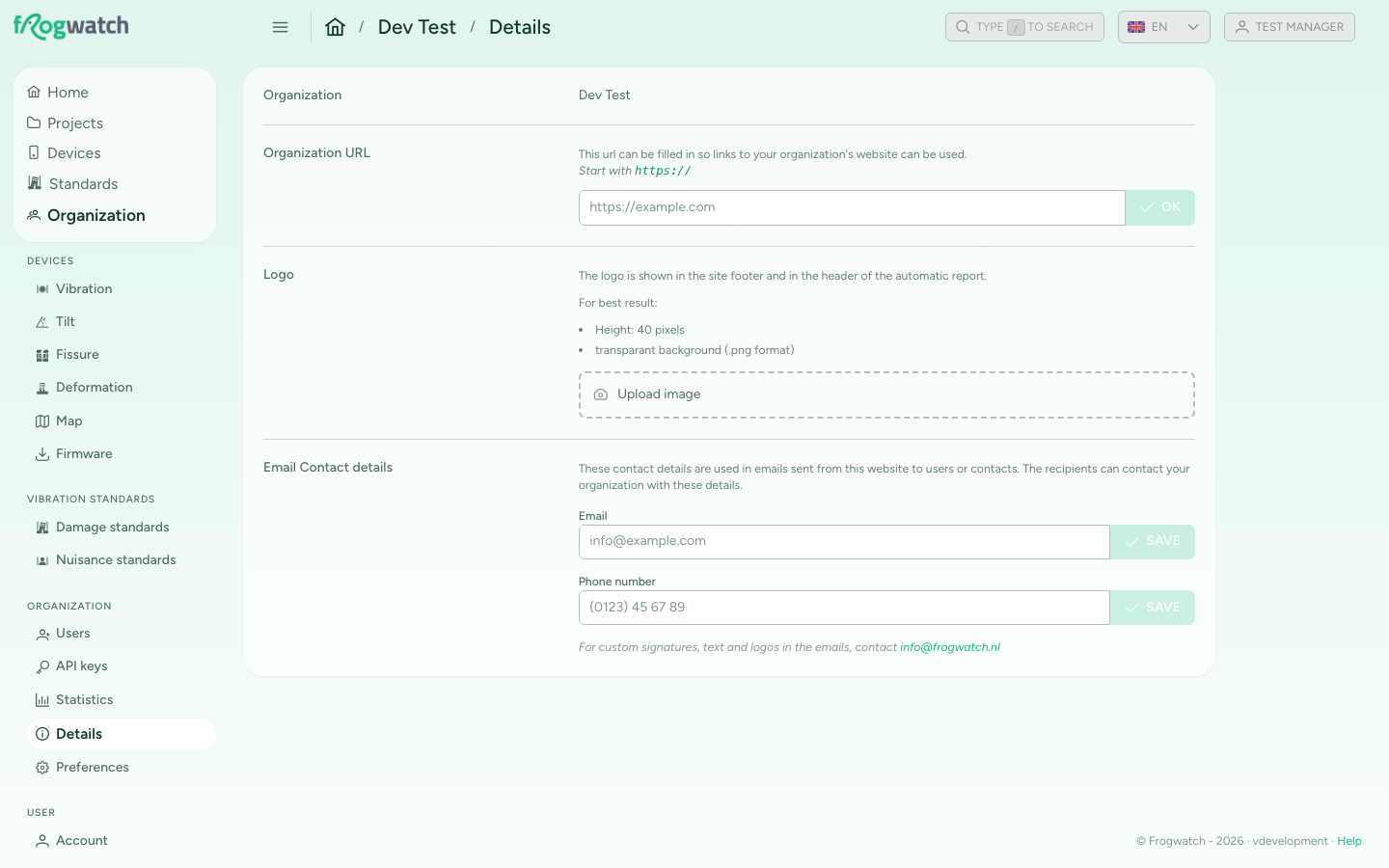
Organization URL: the address of your organization's website, starting withhttps://. The Dashboard uses it for links to your website.Logo: the logo is shown at the bottom of every Dashboard page and at the top of the reports. A PNG of 40 pixels high with a transparent background gives the best result.Email Contact details: the email address and phone number in the emails the Dashboard sends to users and contacts, so recipients can get in touch with your organization. For your own signature, text or logo in the emails, contact Frogwatch.
Preferences
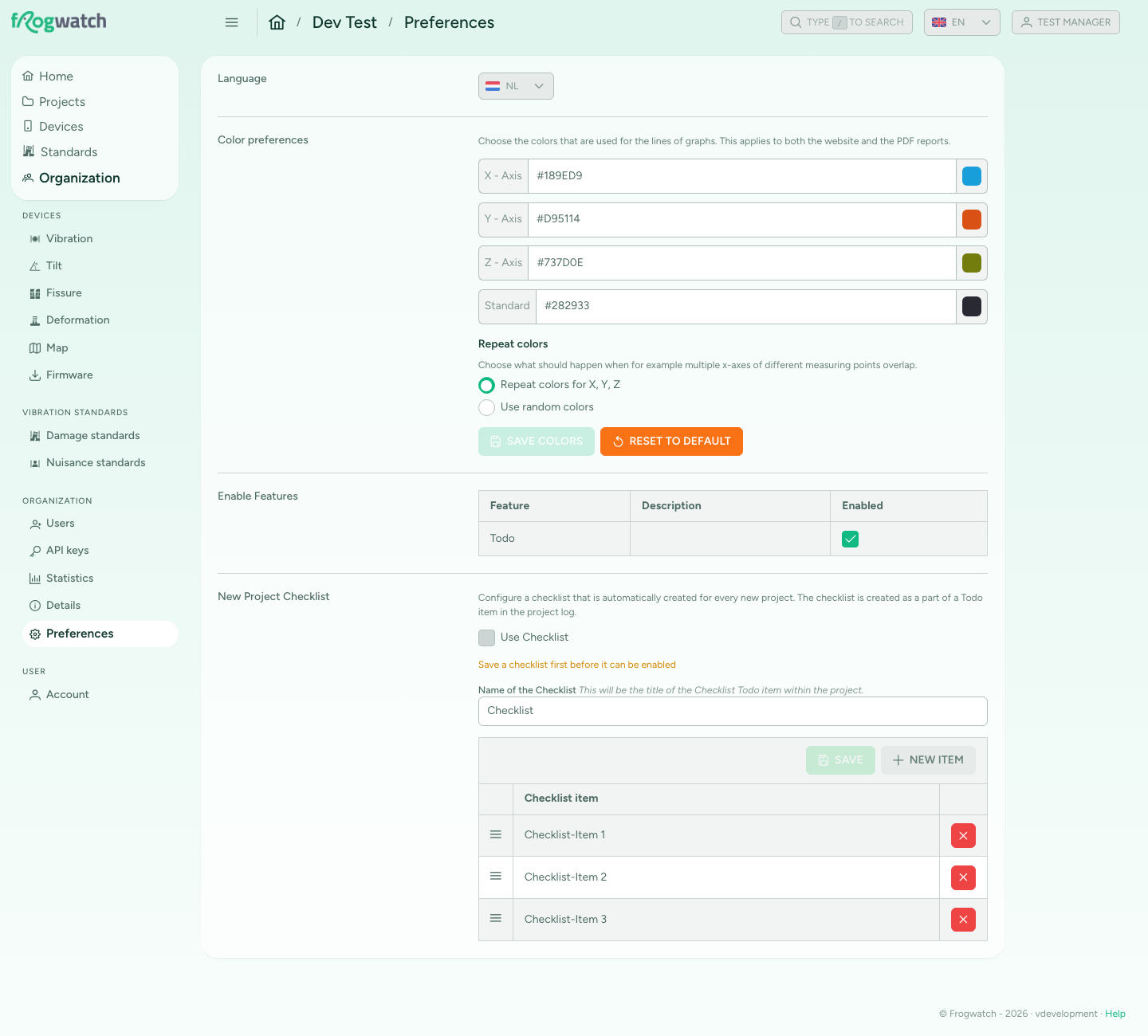
Language: the language of the reports, and of emails to users and contacts who have not chosen a language themselves.Color preferences: the colors of the lines in the charts, for the X, Y and Z axis and the standard. They apply in the Dashboard and in the PDF reports. UnderRepeat colorsyou choose what happens when several measuring points share one chart: repeat the same colors per axis, or use random colors. ClickSave colorsto keep them, orReset to defaultfor the default colors.Enable Features: turns parts of the Dashboard on or off, such as the Todos in the project log.New Project Checklist: a checklist that is created automatically for every new project, as a Todo in the project log. Give the checklist a name, add items withNew item, and drag them into order. Save the checklist first; then turn onUse Checklist. This only works when Todos are enabled.